How Afloat Plan Home Works
As Easy as 1, 2, 3 — Afloat Plan Home and Your PFD
Discover how to easily file a float plan, manage contacts, explore various screens, and learn about the emergency features that can assist you if you need rescue services.
Home
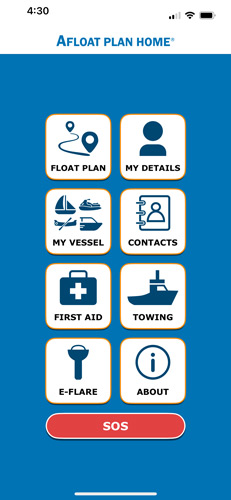
Here you will find the overview of the app’s functionality.
- Float Plan – input your float plan and option to send to your selected contacts
- My Details – input your details
- My Vessel – input your details about your vessel
- Contacts – allows you to input or import your contacts
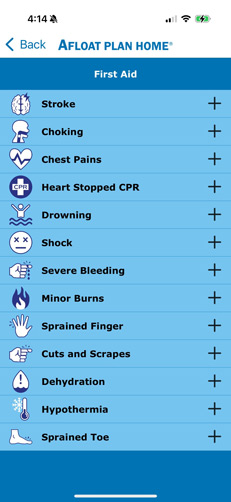
- First Aid – provides general guidance for common health emergencies while boating
- E-Flare – allows you to operate the C-1002 distress light and check the battery level
- Towing – allows you to call the towing service of your choice
- SOS – taps into the built-in functionality of the iPhone 14, 15 & 16’s satellite SOS capabilities (beta)
- About – about the app
- SOS – calls 911
Contacts
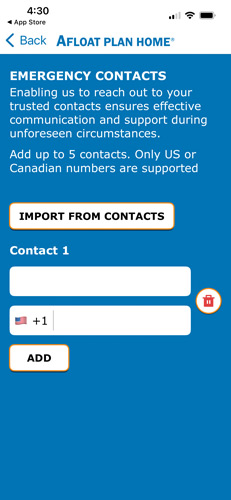
Here you can add contacts one at a time or import them from the contacts already stored on your phone.

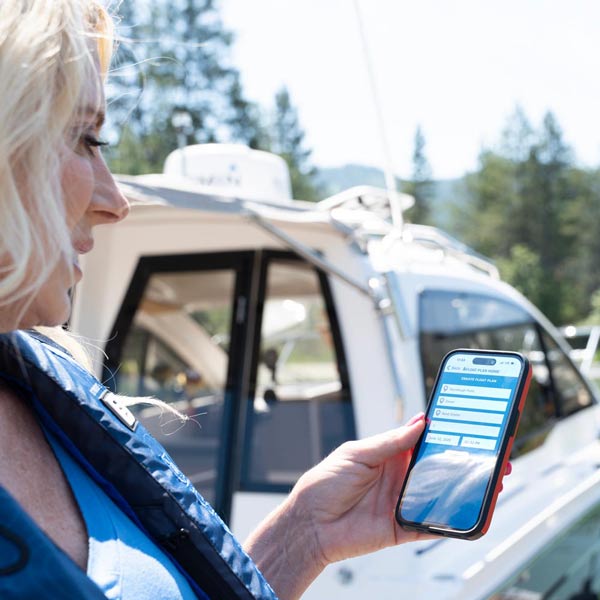
Create a Float Plan
After you submit your float plan, your designated contacts receive a text message with the plan and a Google Maps link.
911 Emergency
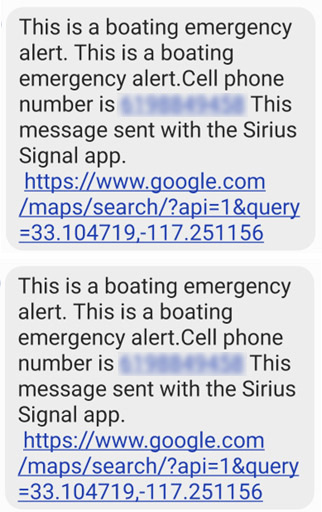
SMS & Voice message sent to Emergency contacts with cell phone number and link to location (above). SMS text message sent to 911 operator with cell phone number and link to location (below).
First Aid Treatment
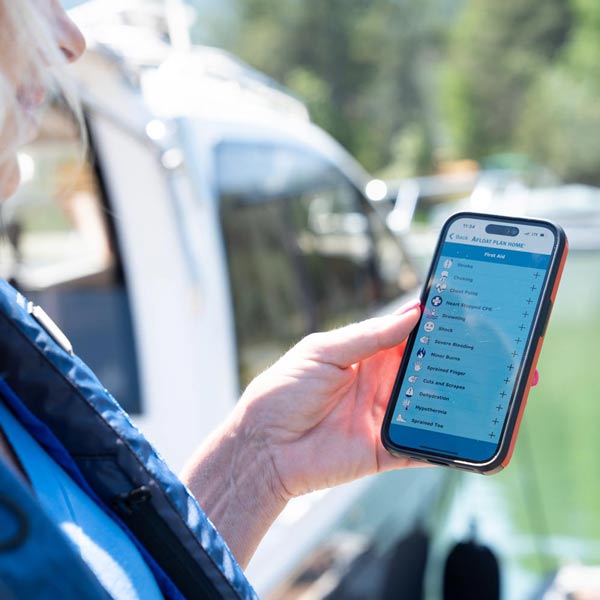
The app has first aid protocols for basic emergencies that one might encounter at sea together with looped audio.